
Press Kit
ShutterCoach 2.0 facts, and the 1.x launch archive: press materials, screenshots and original branding.
ShutterCoach: show it a photo, and it tells you the one thing to try next.
ShutterCoach gives AI critiques of photographs. Each photo gets the same read across six skills (composition, lighting, exposure, focus, color and storytelling), and in the iPhone app each critique ends with one concrete thing to try on the next shot. The critiques come from Luna, ShutterCoach's AI coach, drawn as a luna moth. Luna is an AI, not a person.
It's available as an iPhone app and a Chrome extension. ShutterCoach is made by Justin Hogan.
NOVEMBER 2026
ShutterCoach 2.0
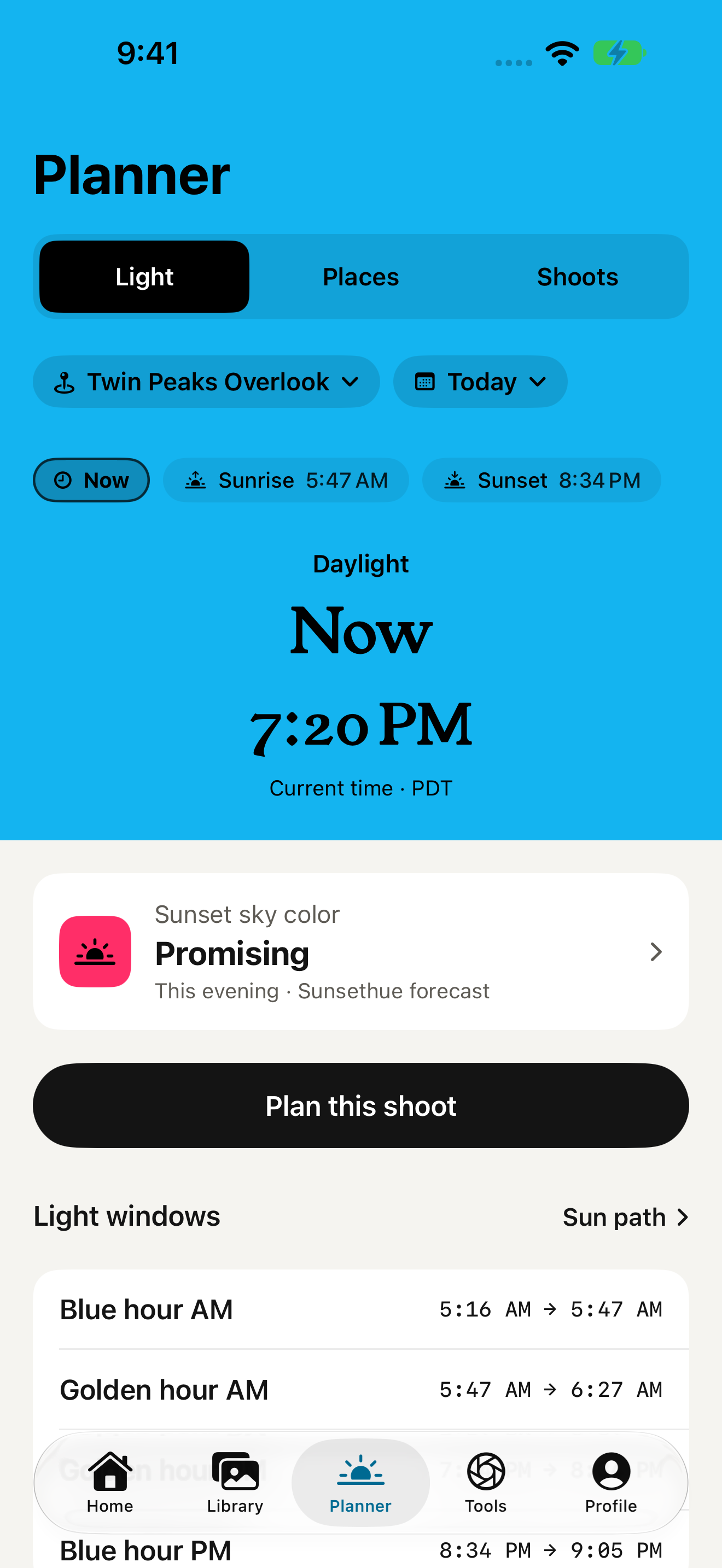
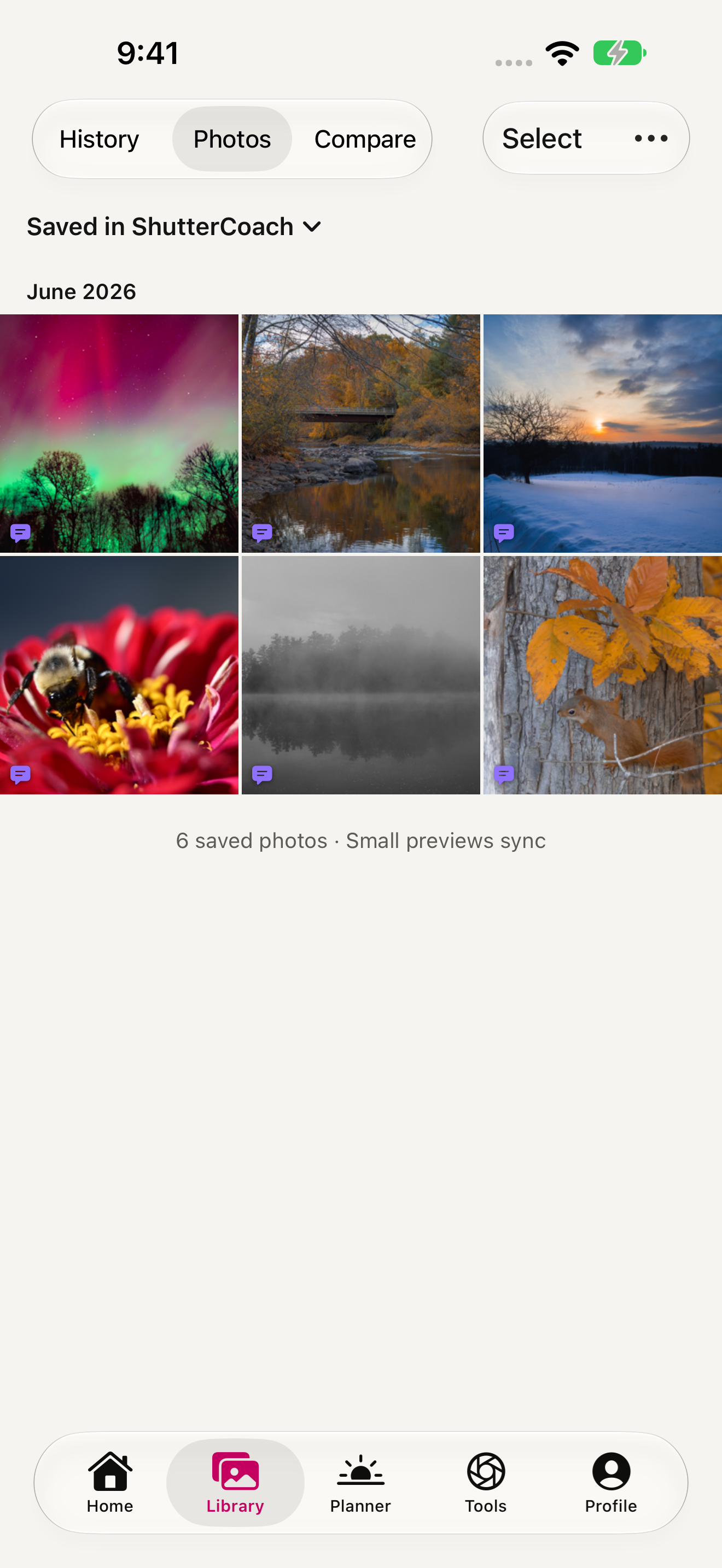
ShutterCoach 2.0 was released on the App Store on November 9, 2026, for iPhone and iPad on iOS 26 or later. It's a redesign around one loop: look at a photo, try one change, compare. Re-shoot and compare puts two critiques of the same subject side by side, and Luna draws her notes on the photo.
- Free to start: 7-day Pro evaluation, then 3 free critiques every 30 days, each with 1 follow-up.
- Pro: $9.99/month, $69.99/year or $149.99 lifetime (US).
- Launch offer through December 9, 2026: $49.99 for the first year of annual Pro, and lifetime for $99.99.
- Existing lifetime and Early Bird owners keep full Pro.
The full story is in the 2.0 announcement; release notes are in the changelog. Press contact: support.
2.0 Screenshots
Captured from ShutterCoach 2.0 on iPhone. Each PNG is 1320 × 2868 pixels; click one to download it.
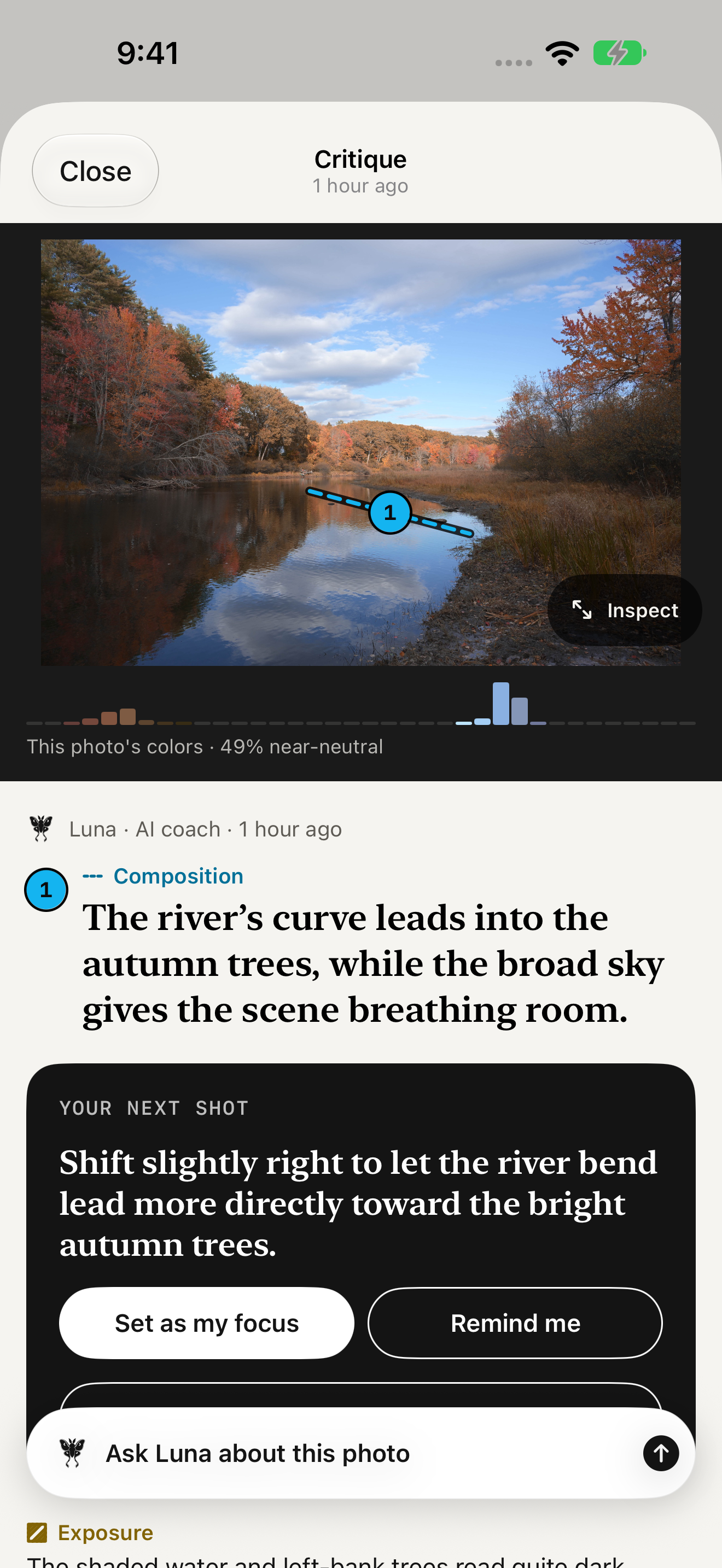
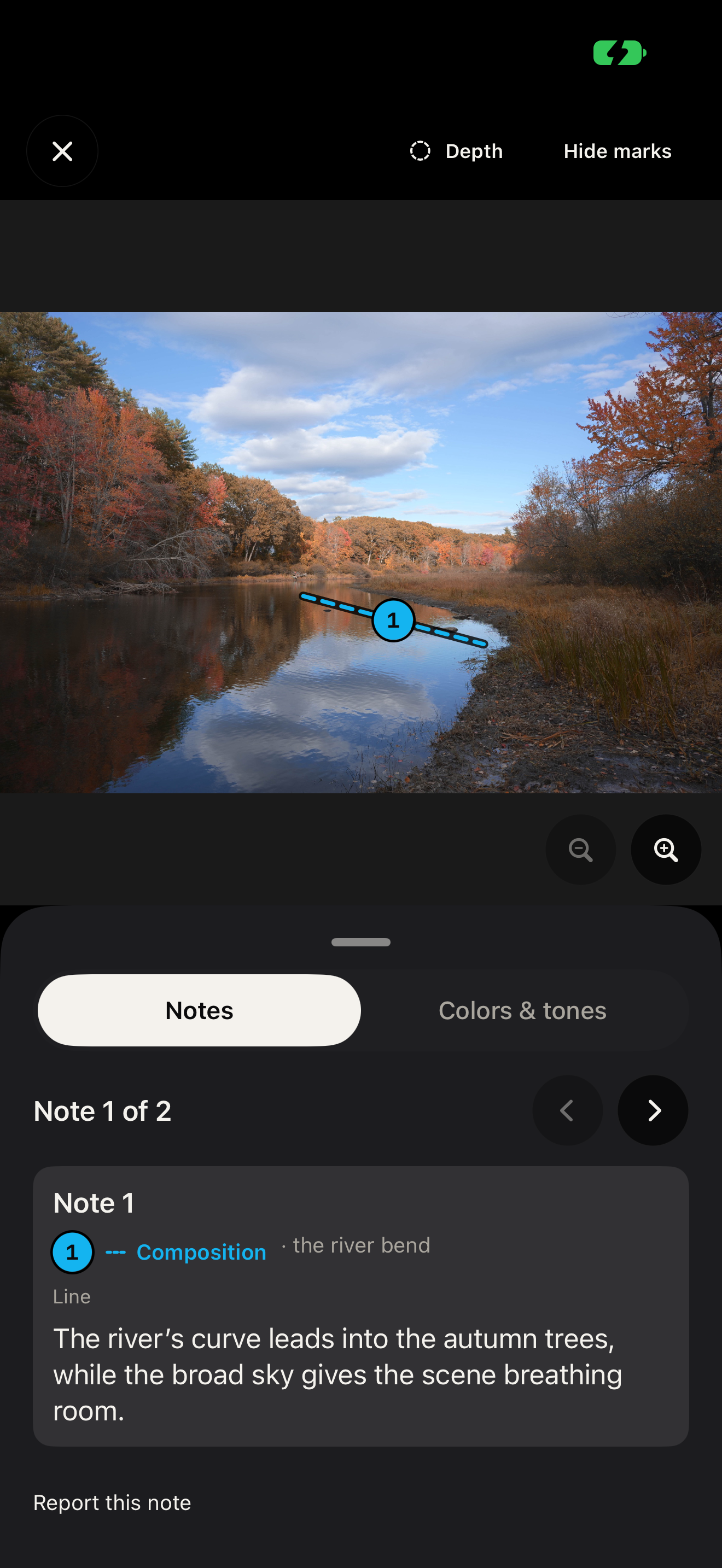
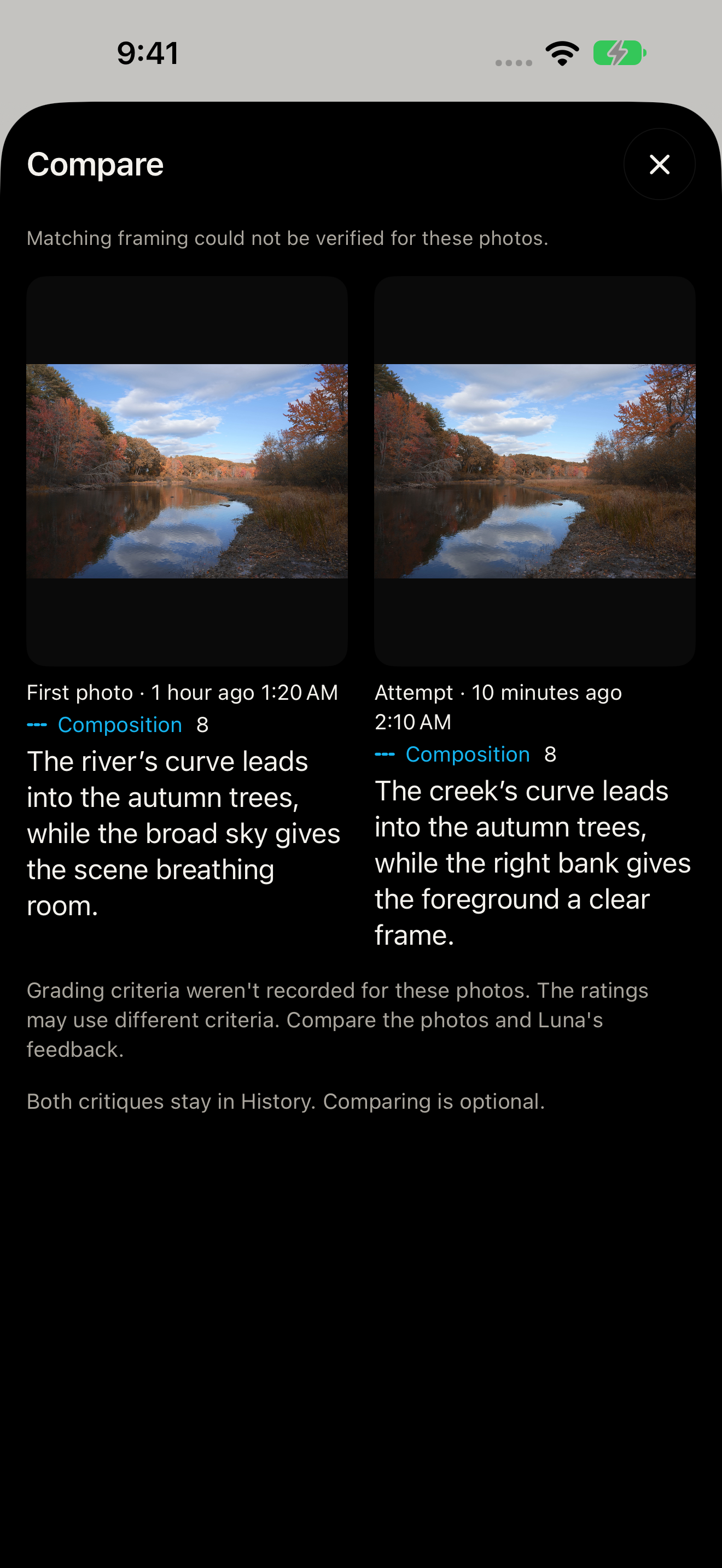
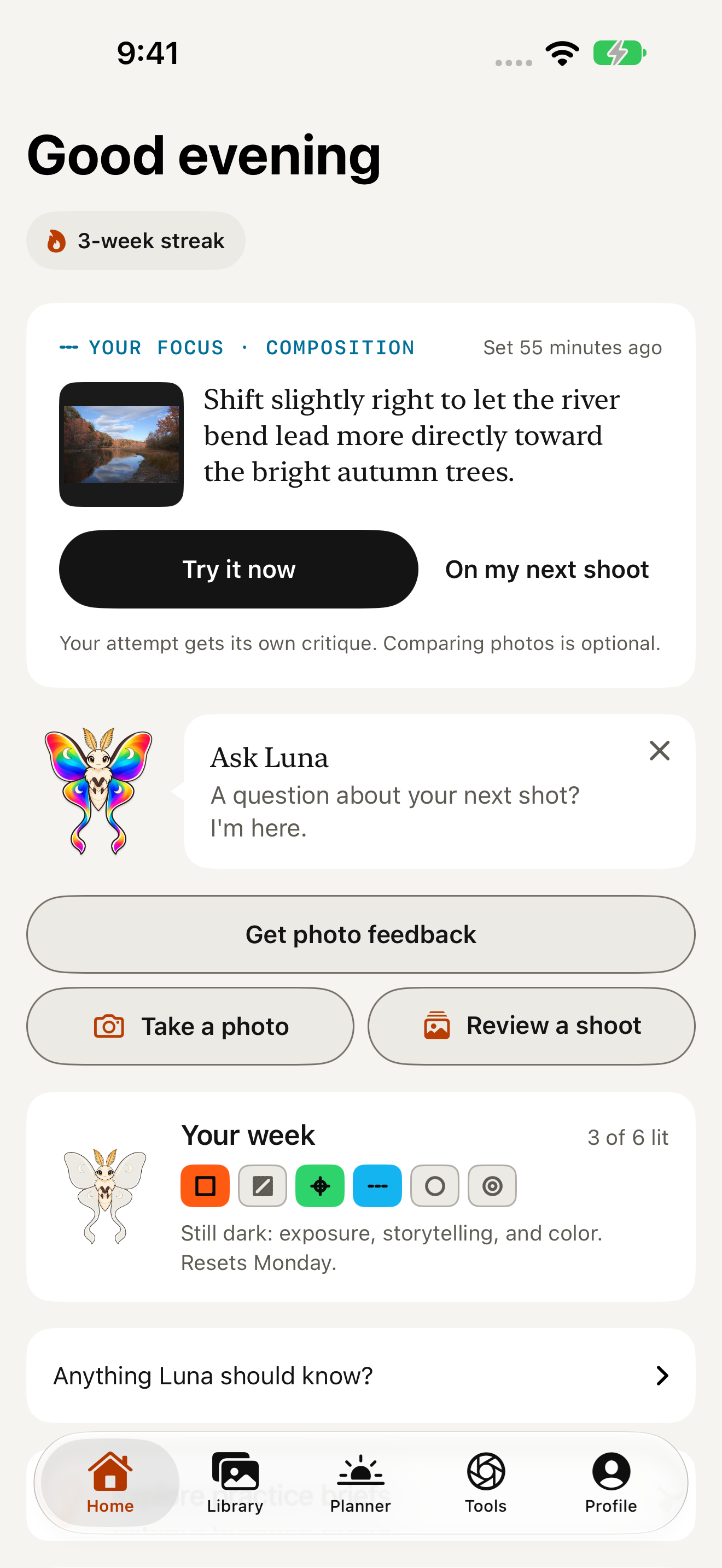
The rest of this page documents the original 1.x release. The January 2026 announcement, platform requirements, screenshots and Aurora palette below are historical.
January 2026 Press Release
ARCHIVED 1.x LAUNCH ANNOUNCEMENT
ShutterCoach launches: an iPhone app that reads your photo across six skills
Every critique starts with what you did well, then gives specific suggestions for the next one
January 2026 — ShutterCoach, a new iPhone app made by Justin Hogan, gives photographers specific feedback on their own photos. Until now, that kind of feedback usually meant knowing the right people or posting work publicly for strangers to judge.
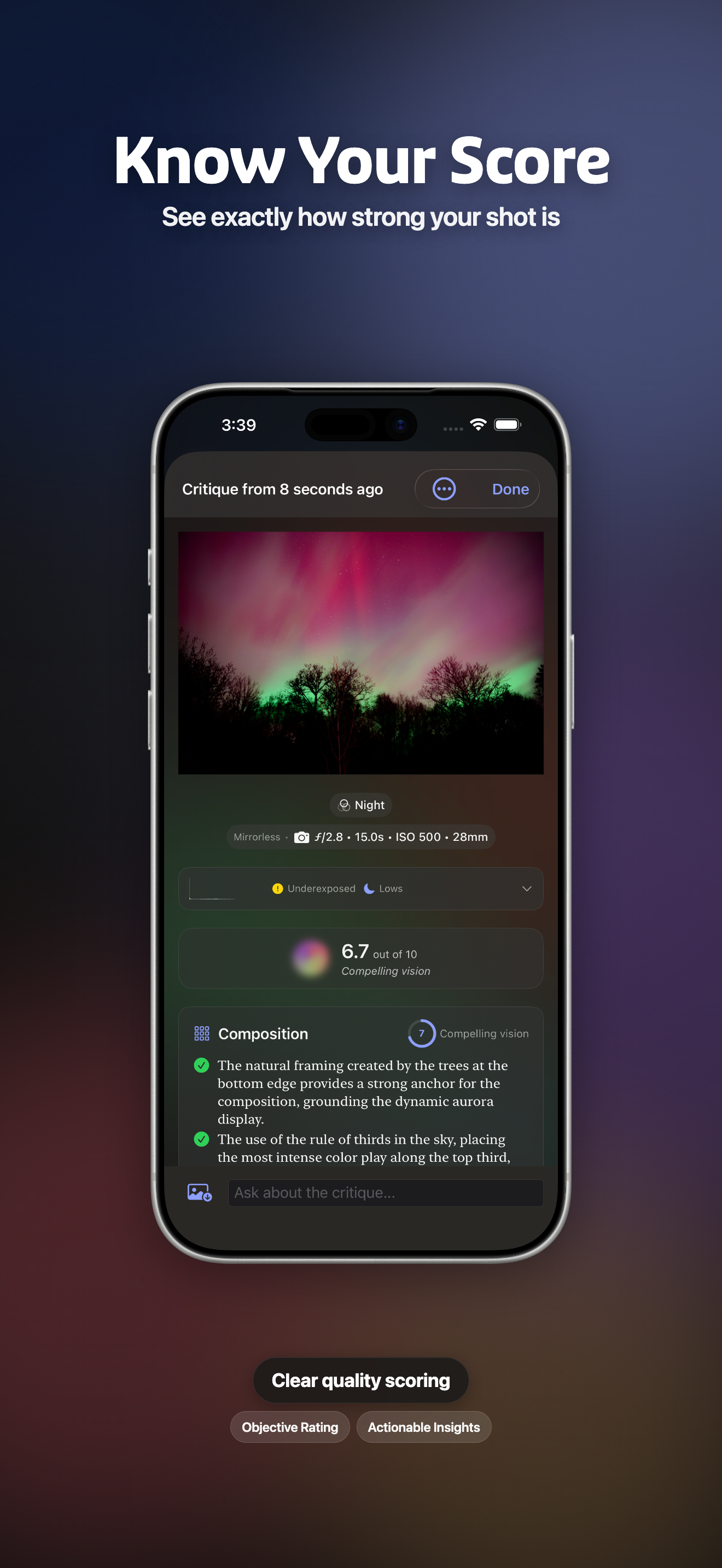
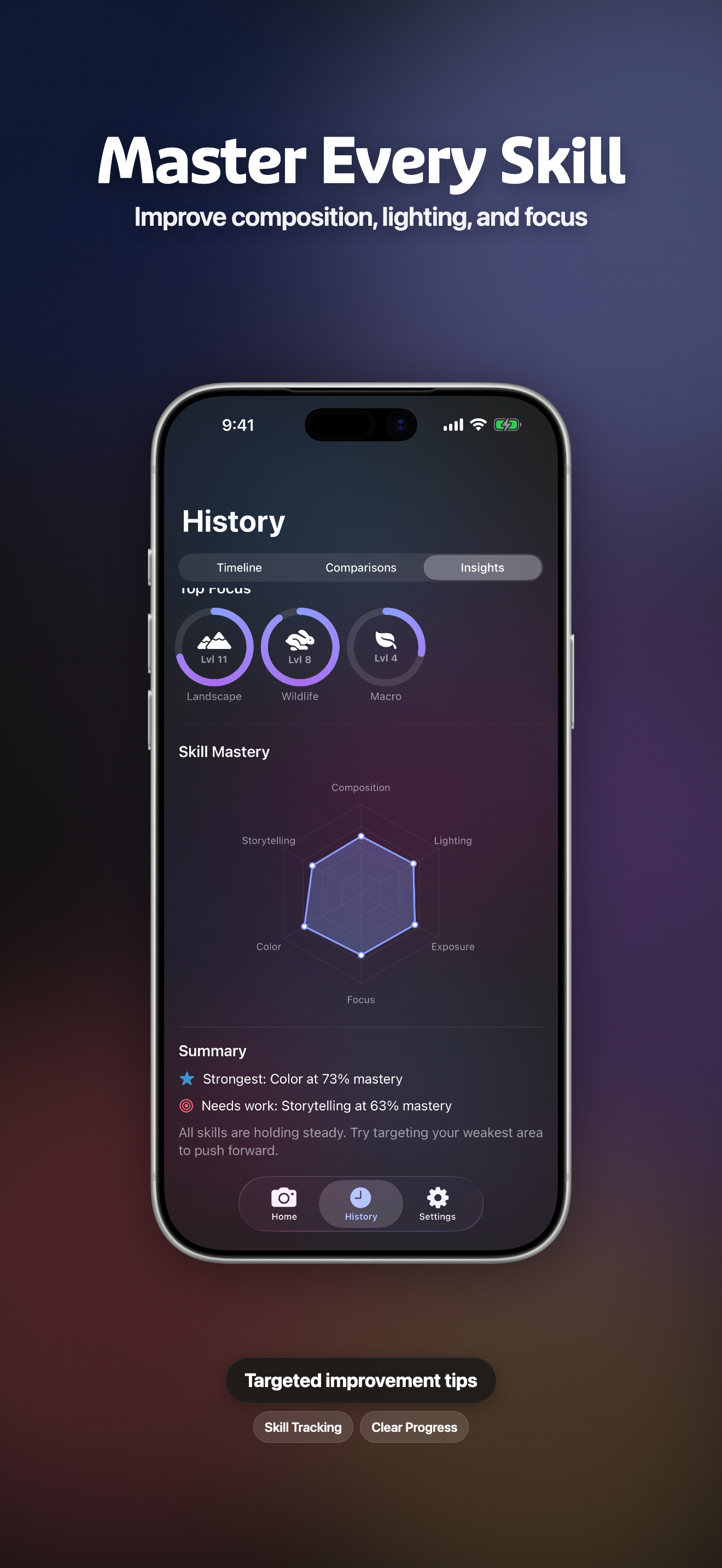
The app looks at a photo across six skills (composition, lighting, exposure, color, focus and storytelling). Every critique starts with what the photographer did well, then moves to specific suggestions they can try on the next shot. A follow-up chat with Luna, the app's AI coach, lets them ask about anything in the critique.
Key Features
- A critique across six skills: composition, lighting, exposure, color, focus and storytelling
- "What You Did Well" first, then suggestions
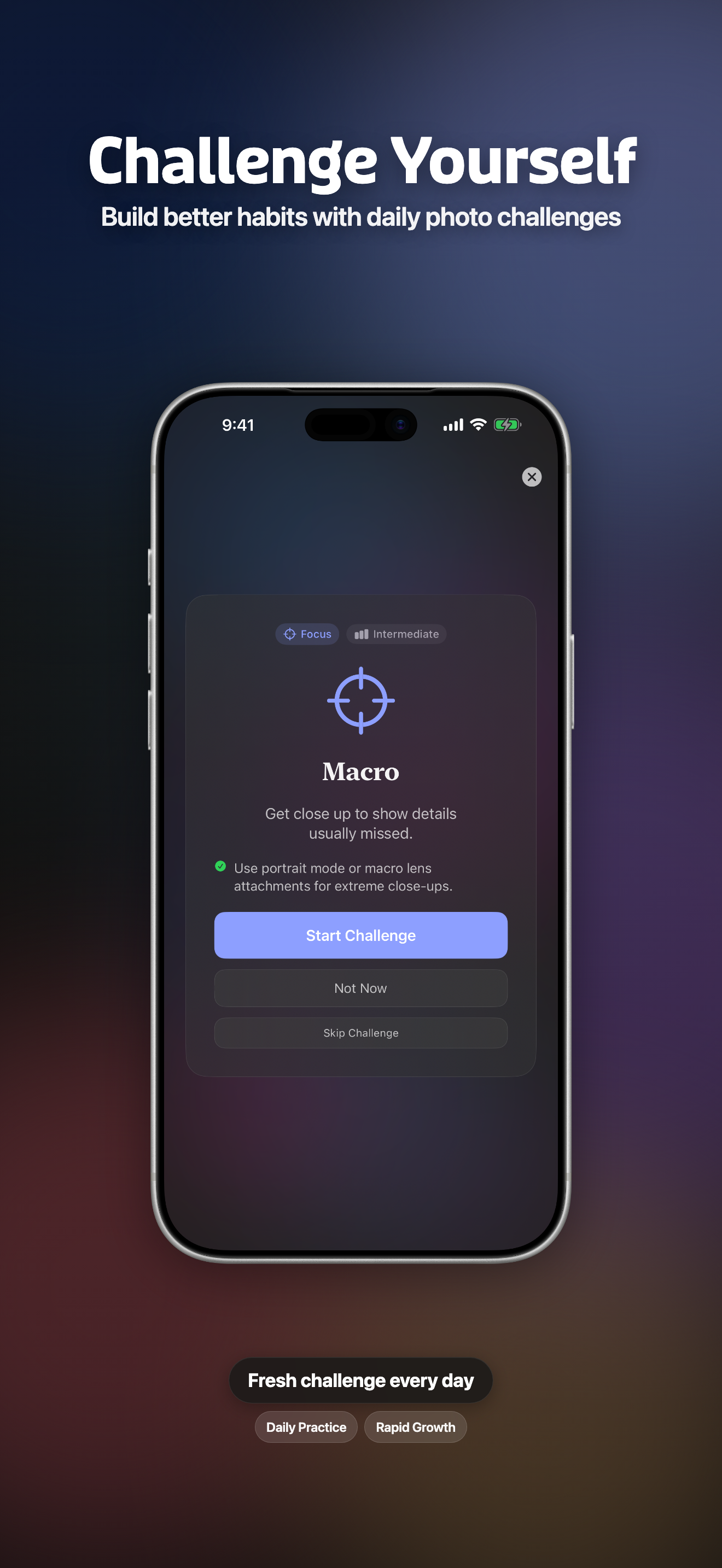
- Daily photography challenges with streak tracking
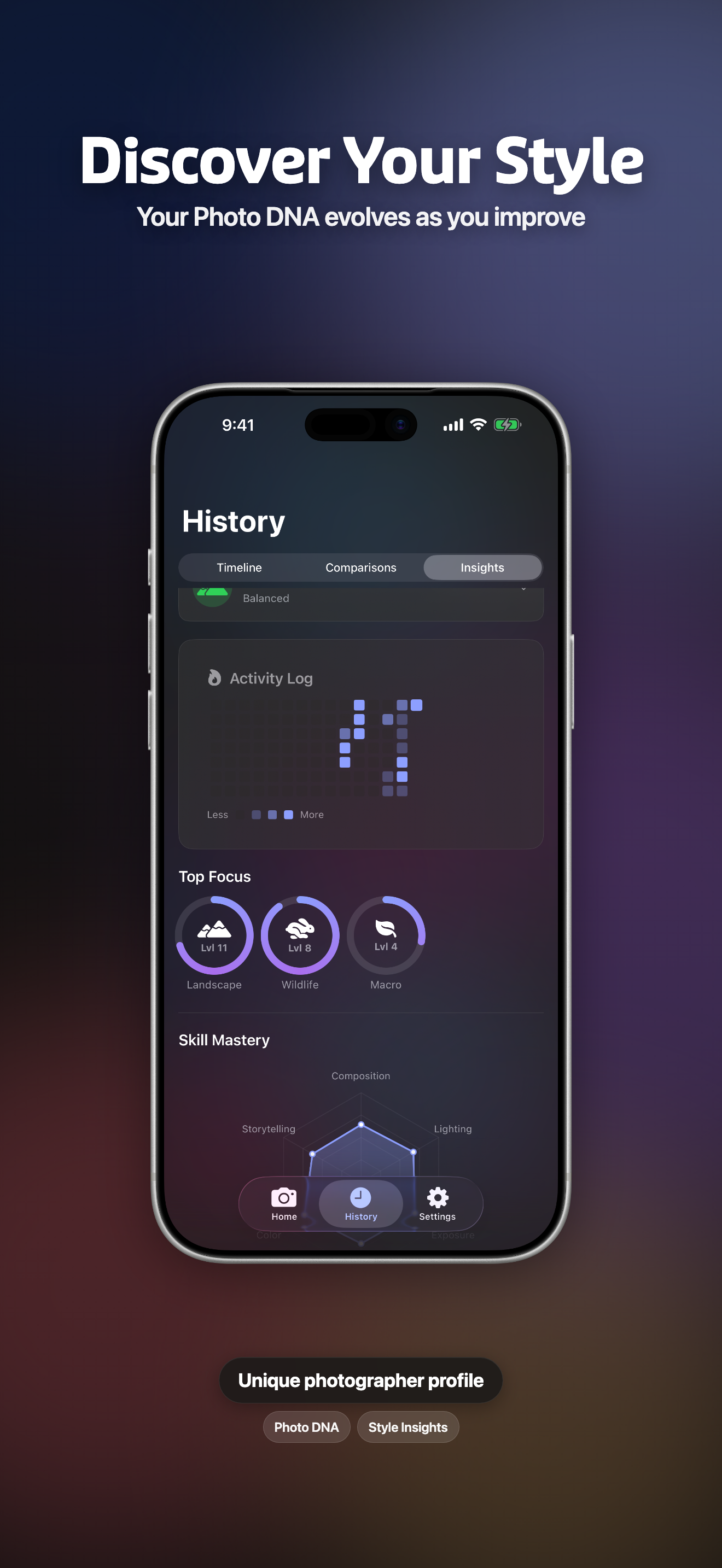
- Photo DNA: a photography profile built from your critiques
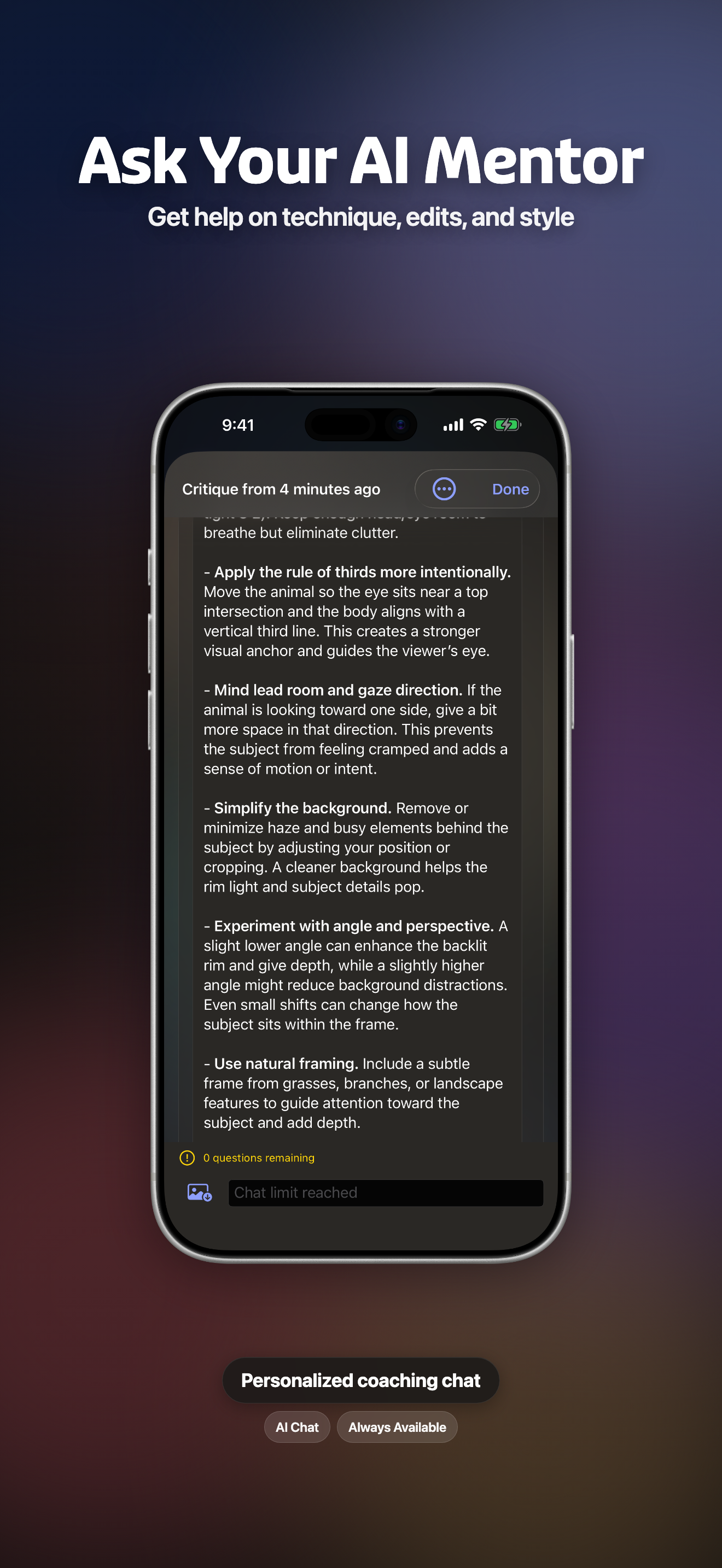
- Follow-up chat for deeper understanding after every critique
- Photo ownership retained; AI processing and provider retention disclosed
Original 1.x Fact Sheet
Product Info
- Product Name
- ShutterCoach
- Tagline
- Your AI Photography Mentor
- Platform
- iOS 26+ (iPhone and iPad) and Chrome
- Category
- Photography, Education
- Website
- https://shuttercoach.app
Pricing
Pro evaluation
Full Pro from the first successful critique, with no payment details
7 days free
Free
3 critiques every 30 days, 1 follow-up each
$0
Pro
Unlimited personal-use critiques, Insights and Photo DNA
$9.99/month, $69.99/year or $149.99 lifetime
1.x Visual Assets
App Icon

1024x1024 PNG
Download →Logos


Screenshots
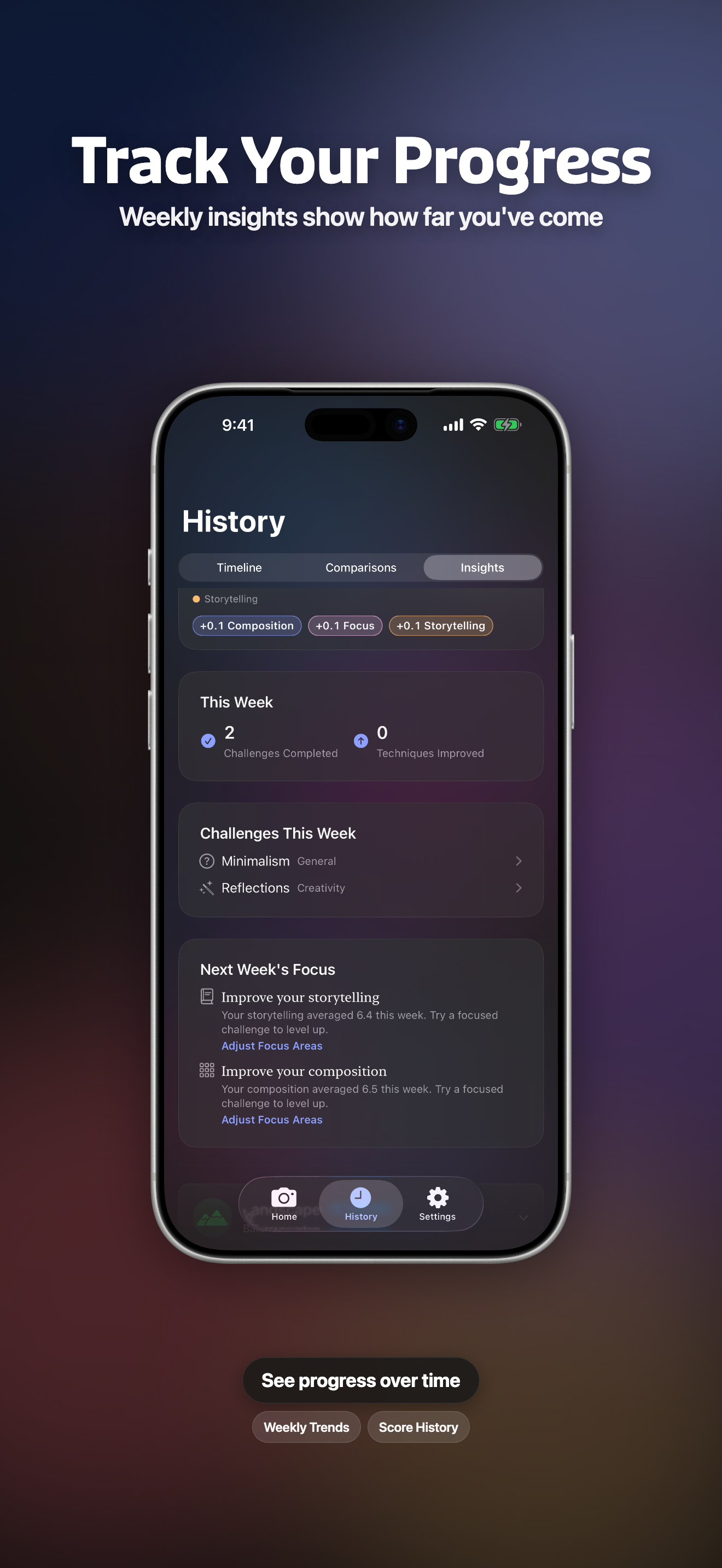
Original 1.x iPhone screenshots. Each PNG is 1320 × 2868 pixels.



Original Aurora Brand Colors
Aurora Coral
Aurora Cyan
Interactive Blue
Aurora Soft Blue
Aurora Violet
Aurora Soft Pink
Canvas
Press Contact
For press questions, interviews or other assets, write to Justin Hogan, who makes ShutterCoach.
support@shuttercoach.app